Open source · MIT · coming soon
Your footage. Your model. Your machine.
Klarschnitt syncs your cameras, understands the conversation, and hands you an edit that Premiere Pro, DaVinci Resolve and Final Cut simply open.
You decide how much AI is involved — from none, to a model running on your own laptop.
MIT licensed · no account · no upload · works with Ollama, LM Studio and llama.cpp · macOS, Linux, Windows
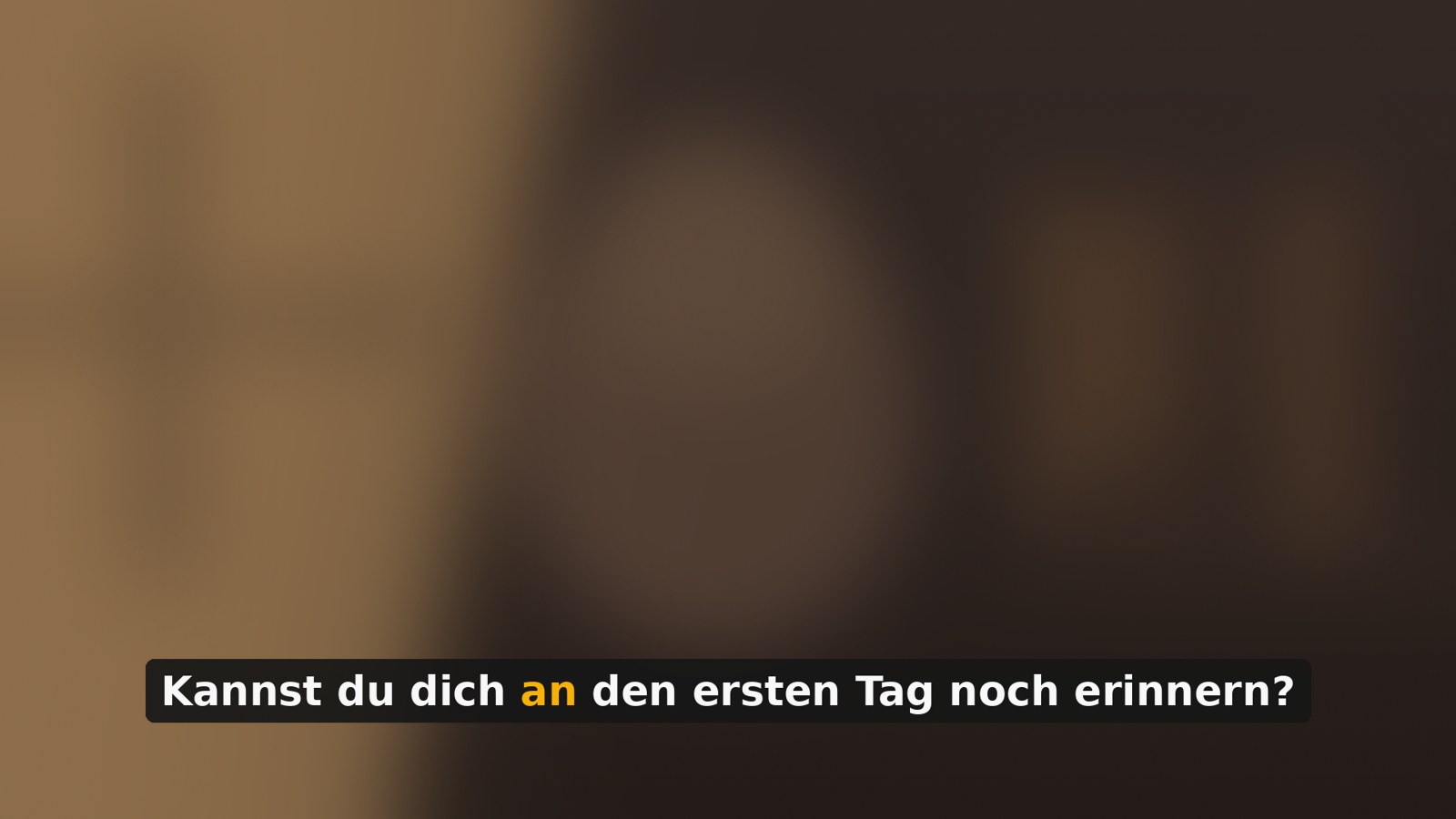
A caption rendered by Klarschnitt, with the spoken word highlighted — an actual frame, not a mockup.
The problem
Two hours of footage, and there it sits
You recorded a conversation. Three cameras, clean audio from a recorder. Audio needs syncing. Every angle change needs setting. The “ums” need to go, and so do the three attempts at the same sentence. Captions would be nice.
None of that is a creative decision. It is just hours — hours nobody misses once they are gone.
Klarschnitt takes those hours. It does not take the decisions.


The setting that matters
Four levels. You pick one.
Every AI editing tool has already decided for you: which model, which cloud, which subscription. Klarschnitt asks instead.
| Level | What happens | What leaves your machine |
|---|---|---|
| 0 Off | Rules only, written in a text file you can read and change. Run it twice, get the same result twice. | nothing |
| 1 Local | Whisper transcribes, speakers are separated, captions render, cuts are calculated — all on your hardware. | nothing |
| 2 Text | A language model advises on the edit. This can be a model on your own machine. | text, or nothing |
| 3 Generative | New material may be created: B-roll, transitions, synthetic voice. | media, to a provider you chose |
Default is level 1 — the level where the tool is genuinely useful and still nothing leaves the device. Every module declares the level it needs. Set a lower level and it does not run, and it tells you which level it would need. No silent skipping, no surprise on a bill.

Level 2, without anything leaving the room
A model that reads your transcript — on your own laptop
A language model that reads the transcript, understands the conversation and suggests where to cut is genuinely useful. Sending a family interview, a therapy session or an internal recording to someone else’s server is genuinely not.
Those used to be the only two options.
Ollama, LM Studio, llama.cpp, Jan, vLLM and LocalAI all speak the same OpenAI-compatible interface. Klarschnitt does not need a per-vendor adapter. It needs an address.
[ki]
stufe     = 2
endpunkt  = "http://localhost:11434/v1"
modell    = "qwen2.5:14b"
nur_lokal = trueTherapy and counselling
Summarise and index session recordings with no third-party processing.
Law and compliance
Cut deposition and client footage by content, on the machine it was recorded on.
Schools and universities
Caption lessons where cloud tools are not permitted.
Journalism and research
Interviews with source protection, or an ethics approval that rules out the cloud.
What it does
Six steps, and a drawer full of blades
- 1
Sync
Finds the offset between recorder audio and every camera. No clapperboard. Every result carries a confidence figure — an uncertain match says so instead of hiding it.
- 2
Listen
Transcribes locally with Whisper, GPU-accelerated on Apple Silicon. Or bring a finished transcript from Premiere, DaVinci or ElevenLabs — with a timestamp for every single word.
- 3
Clean
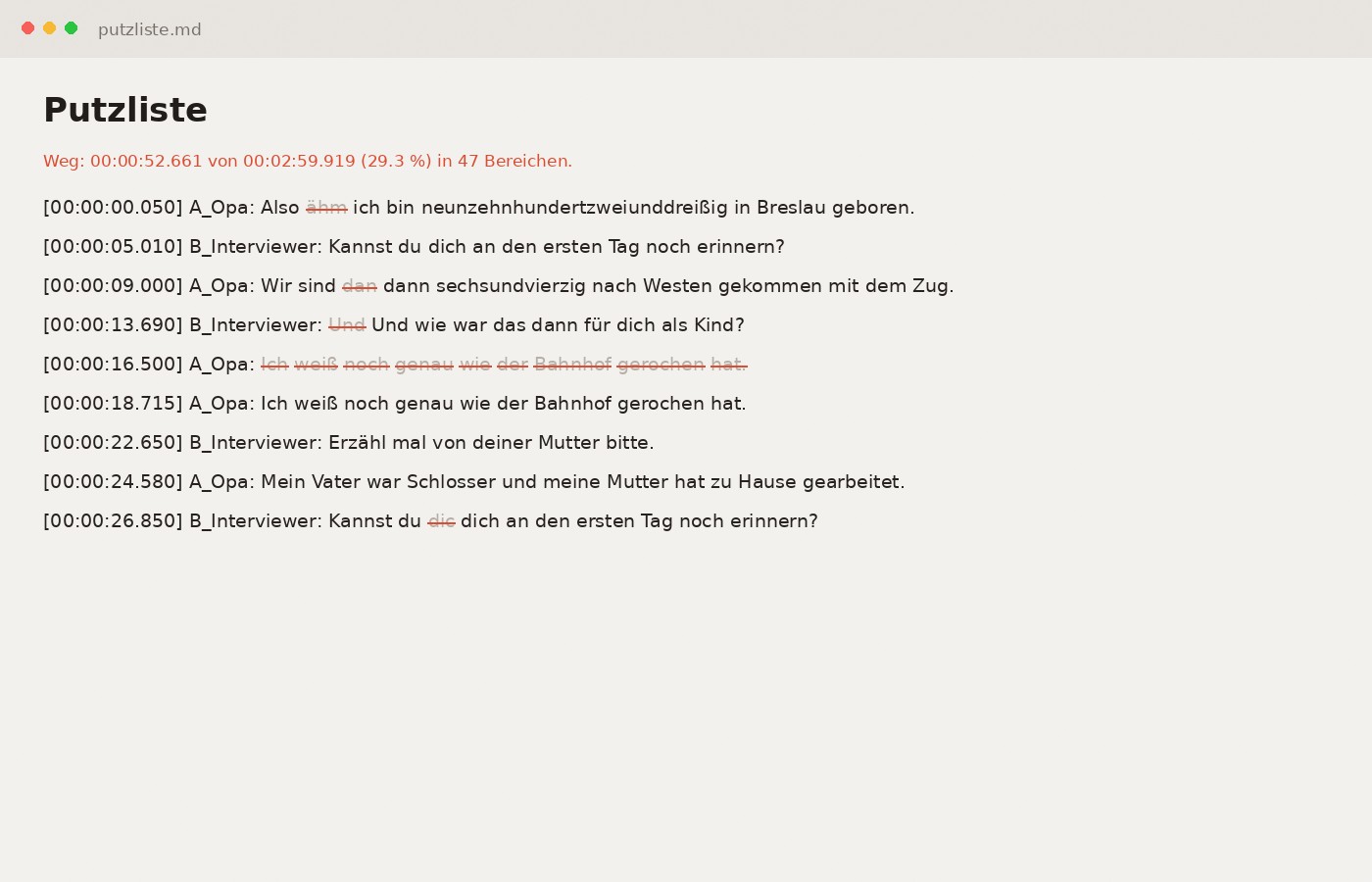
Filler words, false starts, repeated takes, dead air. You get the text to skim first; struck-through is what goes. Nothing is cut before you have seen it.
- 4
Direct
Whoever speaks gets shown — but not mechanically. Too long on one face gets broken up, thinking pauses go wide, short interjections leave the camera where it is.
- 5
Caption
Captions that fly in and highlight word by word. Five styles, or measured from a screenshot of a style you liked. Rendered with an alpha channel, so every NLE can read them.
- 6
Build
Sequences, EDL, markers — all validated before you see them. Your original length is preserved in a separate track layout.
You read the text, not the timeline
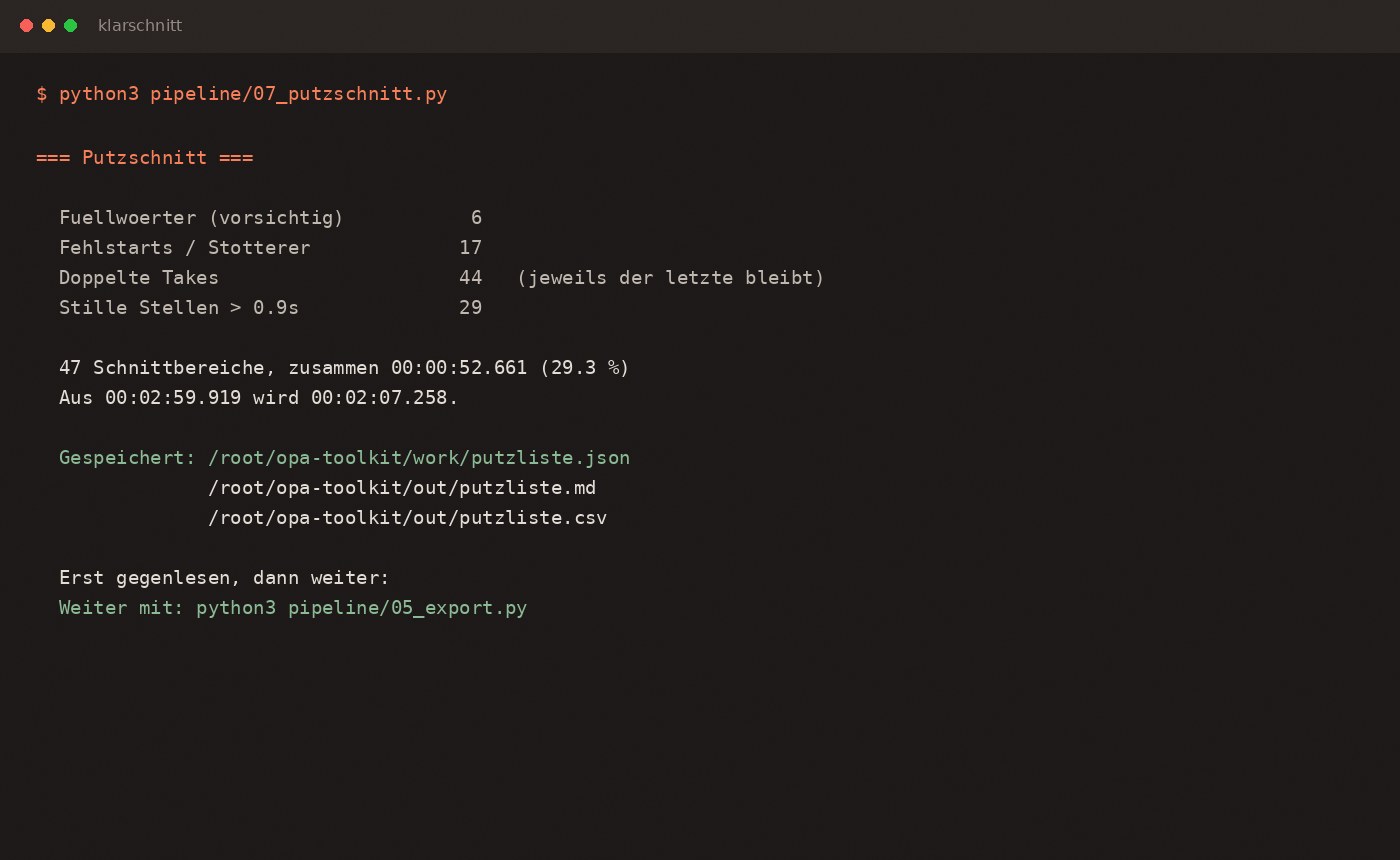
The clean-up pass hands you the transcript first. Struck-through is what goes: filler words, false starts, the three attempts at the same sentence. Nothing is cut before you have seen it, and any decision can be reversed by editing one line in a JSON file.
It tells you what it did
Every step reports what it found and how much it removed — and warns you itself when the cut gets aggressive. A tool that quietly deletes a third of a conversation is not saving you time.
| Clean-up edit | Filler words, false starts, repeated takes, silence — four languages |
| Style from a screenshot | Point it at a caption style you liked. It measures colour, size, position, box, outline |
| HTML → overlay | Any HTML animation becomes a QuickTime file with alpha |
| Bleep | Words you do not want broadcast. Own audio track, original untouched |
| Chapters | From topic shifts. Paste straight into a description |
| Loudness | EBU R128. Measures first, changes nothing until you say so |
| Vertical clips | Framed on where the movement actually is — not a centre crop |
| B-roll job list | Vendor-neutral. Fill it yourself, with a model, or bin it |

The part nobody else does
Your original length stays
Most tools hand you a shortened version. Klarschnitt hands you that and something else: your original length, with angle changes layered on top.
One camera runs underneath, unbroken. Above it, on their own tracks, only the sections where a different angle should be visible. Where there is nothing, you see through.
Do not like a shot? Delete the clip on the upper track. No hole appears — the original is right underneath.
Honestly
What it is not
- It does not replace an editor.
- It removes the work that is not a decision. You build the story.
- The first pass is not the last.
- Expect a round or two of adjusting — and everything it decides is a text file you can edit.
- It needs a terminal — for now.
- The Mac app is in progress. Today it is six commands.
- Two hours of footage take time.
- Transcription is the slow part: roughly a quarter of runtime on an M-series Mac. Bring your own transcript and it is seconds.
- A local 14B model is not the smartest model available.
- For editorial decisions on a transcript it is good enough. Level 2 lets you use either — that is the point.
Questions
Before you ask
Do I need an API key?
No. Levels 0 and 1 need nothing. Level 2 with a local model needs nothing either. Only a hosted provider needs a key, and it lives in an environment variable — never in a config file, never in the repository.
What does it cost?
Nothing. MIT licence. Money only changes hands if you choose a paid model provider, and then you pay them directly.
Is “local” actually local?
Klarschnitt resolves the endpoint hostname and refuses anything that is not a loopback address on this device. It errors rather than sends. The check is twelve lines of code you can read.
Does it work without a clapperboard?
Yes. Sync runs off the audio. As long as each camera recorded some audio — even bad audio — it finds the offset.
My recorder only gives me a stereo mix, not isolated tracks.
That is the normal case and it is why this project exists. Most tools need one audio track per person. Klarschnitt separates speakers out of the mix, and can generate artificial isolated tracks from that if another tool needs them.
Can I change what it decided?
All of it. Every decision is JSON or Markdown you can edit, and the export honours your edits.
Does it run on Windows?
Yes, with Python 3.11 and FFmpeg. GPU-accelerated Whisper is Apple Silicon only; elsewhere faster-whisper does the job.
Which local model should I use?
Qwen 2.5 14B is the sweet spot on 32 GB of RAM. Llama 3.1 8B works on 16 GB. It is reading text and following a structured instruction, not generating art — the bar is lower than people assume.

Coming soon on GitHub
The code is written and running. What is left is documentation, a worked example and a licence header on every file — the unglamorous part that decides whether a stranger can actually use it.
No newsletter, no waiting list, no email field. When it is public, it will be public here.